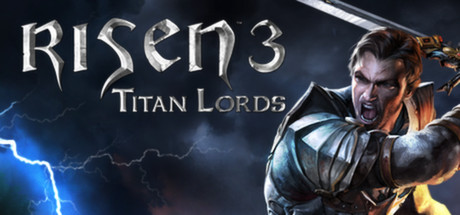
Is Risen 3 - Titan Lords available on Mac?
Yes, with a compatibility layer. Risen 3 - Titan Lords can be played on Mac using CrossOver, a Wine-based compatibility layer.
Risen 3 - Titan Lords Mac specs at a glance
| Mac compatibility | Yes, with a compatibility layer |
|---|---|
| How it runs | CrossOver |
| CrossOver rating | ProtonDB Gold |
| Metacritic score | 65 / 100 |
| Genre | Role-playing |
| Publisher | THQ Nordic |
| Last verified | Nov 23, 2026 |
Compatibility verified against Steam and ProtonDB.
Thanks, got it
Reports are re-verified against Steam and ProtonDB in the weekly sweep. If this page is wrong, it gets fixed.
What does this mean?
CrossOver means there's no Mac build, but the Windows version runs through CrossOver (a paid, supported Wine layer), rated Gold on ProtonDB, which tracks how well Windows games run on the same Wine technology. GeForce NOW is cloud streaming: the game runs on NVIDIA's servers, not on your Mac, so it is shown as a separate way to play, not as Mac compatibility. Compatibility is verified against Steam and community sources. Learn how Mac game compatibility works →
Will Risen 3 - Titan Lords run on your Mac?
Yes, via CrossOver
No native build, but the Windows version runs through CrossOver.
See everything your Mac can run →Thanks — counted. If something did not run, use "Report an issue" instead.
How to play Risen 3 - Titan Lords on Mac
Risen 3 - Titan Lords has no Mac build, but the Windows version runs on Mac through CrossOver, a compatibility layer built on Wine (the same technology behind Steam's Proton). ProtonDB rates it Gold, so it runs well after minor, often automatic tweaks.
- Install CrossOver (or Whisky). Get CrossOver from CodeWeavers. It's paid but has a free trial. Prefer free? Whisky is an open-source alternative built on the same technology.
- Install the game in a "bottle". Open CrossOver, search for Risen 3 - Titan Lords, and let it create a bottle (a self-contained Windows environment), then install the game from Steam, GOG, or Epic inside it.
- Apply any tweaks. CrossOver usually applies the right settings for you. If something's off, ProtonDB's community reports for Risen 3 - Titan Lords list the exact fixes other players used.
- Play. It runs right on top of macOS, with no full Windows install and no rebooting. One caveat: online modes with strict anti-cheat can be hit-or-miss, so CrossOver is most reliable for single-player.
Free 14-day trial. Buy CrossOver+ with 15% off ($62.90 instead of $74). Buying later, or from inside the app? Use code MACGAMES15 at checkout for the same discount. Either way helps support this site.
Or play Risen 3 - Titan Lords in the cloud with GeForce NOW
Risen 3 - Titan Lords is on NVIDIA's GeForce NOW, a cloud gaming service with a Mac app (macOS 10.15 or later) and a browser version. The game runs on NVIDIA's servers and streams to your screen, so there is nothing to install or tune, and it plays the same on an Intel Mac as on Apple Silicon.
- Own the game on Steam. GeForce NOW streams your copy; it does not sell or include it.
- A membership. Either the free tier, which shows ads while you queue and has shorter sessions, or a paid Performance or Ultimate membership (up to 1440p or 5K, with 100 hours of play a month).
- A good connection. at least 15 Mbps for 720p or 25 Mbps for 1080p, ideally over Ethernet or 5GHz Wi-Fi.
From NVIDIA's published game list, synced weekly, last Nov 23, 2026. Cloud gaming on a Mac, compared.
Common questions about Risen 3 - Titan Lords on Mac
Is Risen 3 - Titan Lords available on Mac?
Yes. Risen 3 - Titan Lords can be played on Mac using CrossOver, a Wine-based compatibility layer.
How do I play Risen 3 - Titan Lords on Mac?
Risen 3 - Titan Lords has no Mac build, but the Windows version runs on Mac through CrossOver, a compatibility layer built on Wine (the same technology behind Steam's Proton). ProtonDB rates it Gold, so it runs well after minor, often automatic tweaks.
Can I play Risen 3 - Titan Lords on Mac with GeForce NOW?
Yes. Risen 3 - Titan Lords is on NVIDIA's GeForce NOW, which streams games to your Mac through a Mac app (macOS 10.15 or later) and a browser version. It runs on NVIDIA's servers, so it works on any Mac, Apple Silicon or Intel. You need to own it on Steam, and either the free tier, which shows ads while you queue and has shorter sessions, or a paid Performance or Ultimate membership (up to 1440p or 5K, with 100 hours of play a month), plus at least 15 Mbps for 720p or 25 Mbps for 1080p, ideally over Ethernet or 5GHz Wi-Fi.
What is Risen 3 - Titan Lords's Metacritic score?
Risen 3 - Titan Lords has a Metacritic score of 65.

 96