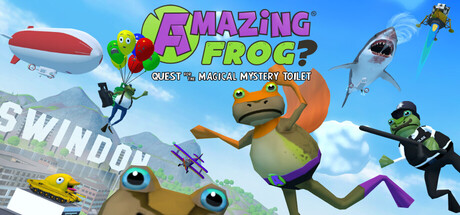
Is Amazing Frog? available on Mac?
Yes, playable on Mac. Amazing Frog? has an official macOS build that runs on Apple Silicon Macs through Rosetta 2.
Amazing Frog? Mac specs at a glance
| Mac compatibility | Yes, playable on Mac |
|---|---|
| How it runs | Rosetta 2 |
| Steam reviews | 94% positive (10,837 reviews) |
| Genre | Action |
| Publisher | Fayju |
| Last verified | Nov 9, 2026 |
Compatibility verified against Steam and ProtonDB.
Thanks, got it
Reports are re-verified against Steam and ProtonDB in the weekly sweep. If this page is wrong, it gets fixed.
What does this mean?
Rosetta 2 means the Mac version is an Intel build that Apple Silicon Macs run automatically through Rosetta 2 translation. Compatibility is verified against Steam and community sources. Learn how Mac game compatibility works →
Will Amazing Frog? run on your Mac?
Yes, via Rosetta 2
Official Intel build; Apple Silicon Macs run it automatically through Rosetta 2.
See everything your Mac can run →Thanks — counted. If something did not run, use "Report an issue" instead.
How to play Amazing Frog? on Mac
Amazing Frog? has an official Mac version, but it's an Intel build. On Apple Silicon Macs (M1 or newer) macOS runs it automatically through Rosetta 2, a built-in translation layer, so it's nearly as simple as a native game.
- Get the game. Buy and download Amazing Frog? on Steam.
- Install Rosetta 2 (one time). The first time you open an Intel app, macOS offers to install Rosetta 2. Click Install. You can also run "softwareupdate --install-rosetta" in Terminal beforehand.
- Launch and play. Rosetta translates the game invisibly in the background. For a game like this, performance is typically excellent, and you won't notice it's happening.
Common questions about Amazing Frog? on Mac
Is Amazing Frog? available on Mac?
Yes. Amazing Frog? has an official macOS build that runs on Apple Silicon Macs through Rosetta 2.
How do I play Amazing Frog? on Mac?
Amazing Frog? has an official Mac version, but it's an Intel build. On Apple Silicon Macs (M1 or newer) macOS runs it automatically through Rosetta 2, a built-in translation layer, so it's nearly as simple as a native game.
 96